SPARQL Query Editor
The SPARQL Query Editor lets you run SPARQL 1.1 queries against any configured endpoint and explore results as a table or an interactive force-directed graph.
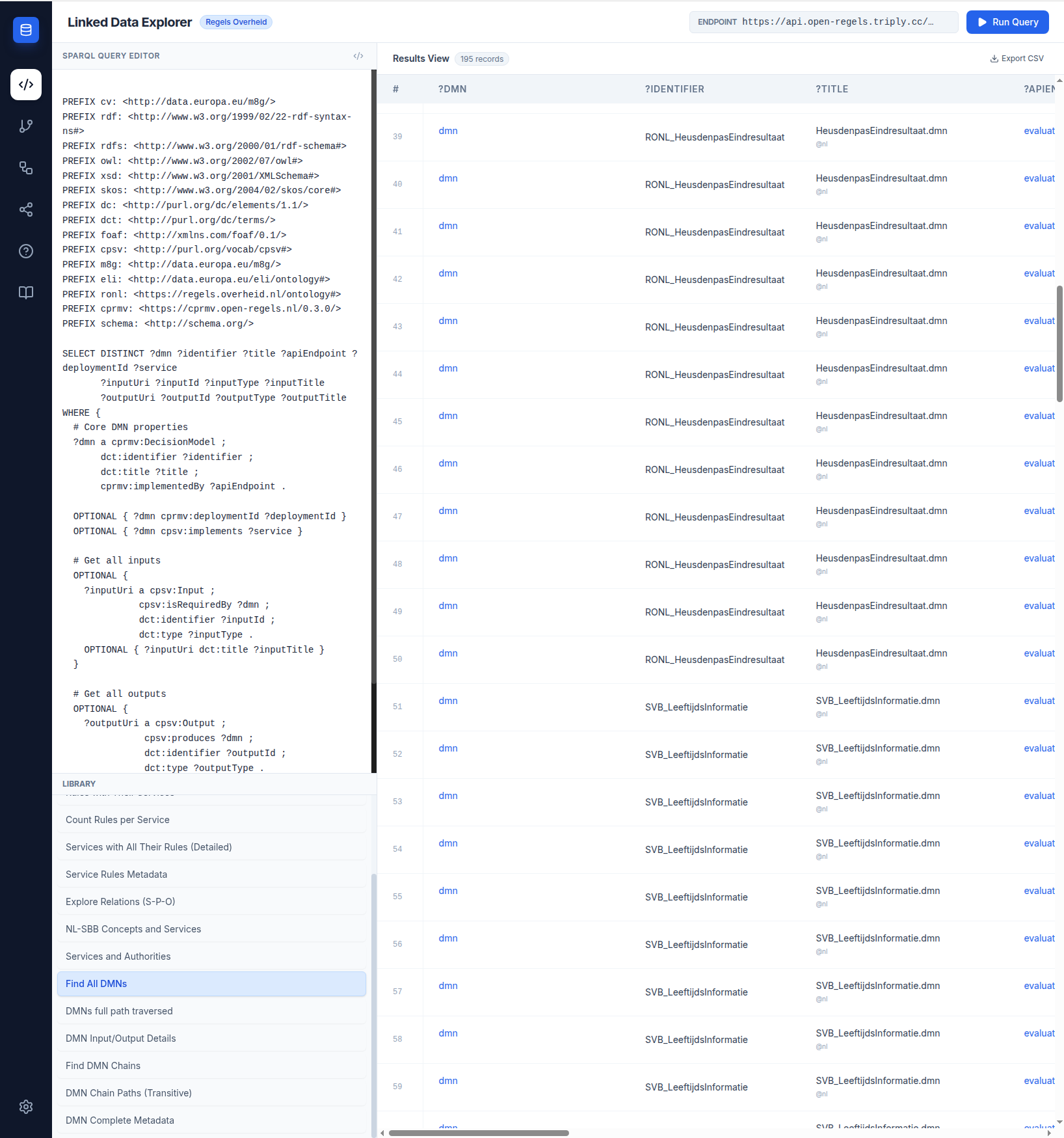
Query execution
Queries are entered in the editor pane and executed by clicking Run Query. Results are displayed immediately below. The editor supports SELECT queries; results always appear in the table view. For queries that return subject-predicate-object triples (?s ?p ?o), the Graph Visualisation view becomes available alongside the table.
Sample query library
A library of pre-built queries is available in the left panel, organised by topic. These cover the most common DMN discovery patterns — finding all decision models, inspecting input and output variables, tracing chain paths, and retrieving complete metadata for a model. Selecting a query from the library loads it into the editor without switching the active view, so you can review or modify it before executing.
Endpoint management
The endpoint selector at the top of the view lets you switch between any configured TriplyDB dataset without reloading the page. Preset endpoints are pre-configured; additional endpoints can be added in the session. Endpoint selection applies to both the Query Editor and the Chain Builder — switching endpoints in one view updates the other.
Every query runs through the backend. Whichever endpoint you choose, the editor sends the query to the Linked Data Explorer's own backend, which runs it and returns the results; the connection badge reads Proxied via Backend. Nothing is fetched from the endpoint by your browser, and no query passes through a third-party proxy. The backend checks the endpoint first: it must be an https: address, carry no username or password, and point to a public host. An endpoint that fails the check is refused with the reason shown, before any request is made.
The Local Jena preset appears only in development builds, where a local endpoint can be reached. The default endpoint is DMN Discovery in every build.
Results table
Query results are displayed as a paginated table with column headers derived from the variable names in your SELECT clause. Cells display the raw value and, where available, the datatype. A Export CSV button writes a timestamped .csv file with proper escaping for commas, quotes, and newlines.
Graph visualisation
When a query returns a triple pattern, an interactive D3.js force-directed graph renders the RDF graph. Nodes are draggable; the simulation settles automatically. Zoom and pan are supported. Semantic links (skos:exactMatch, dct:subject) are rendered as dashed green lines, visually distinct from standard RDF property edges.